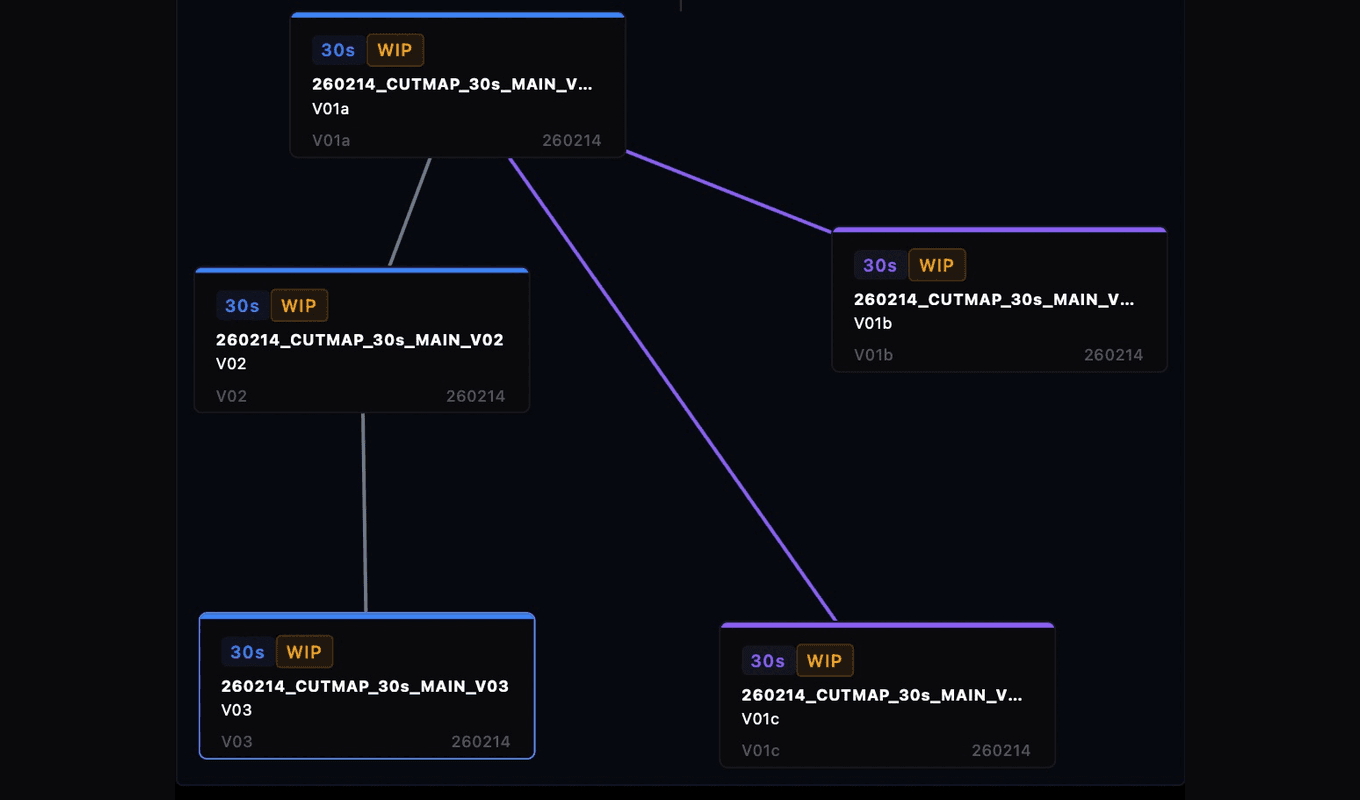
CutMap: See the structure behind your edit

CutMap: See the structure behind your edit

Clarify version history and sequence relationships in complex Premiere projects.

Clarify version history and sequence relationships in complex Premiere projects.

Get CutMap

See pricing
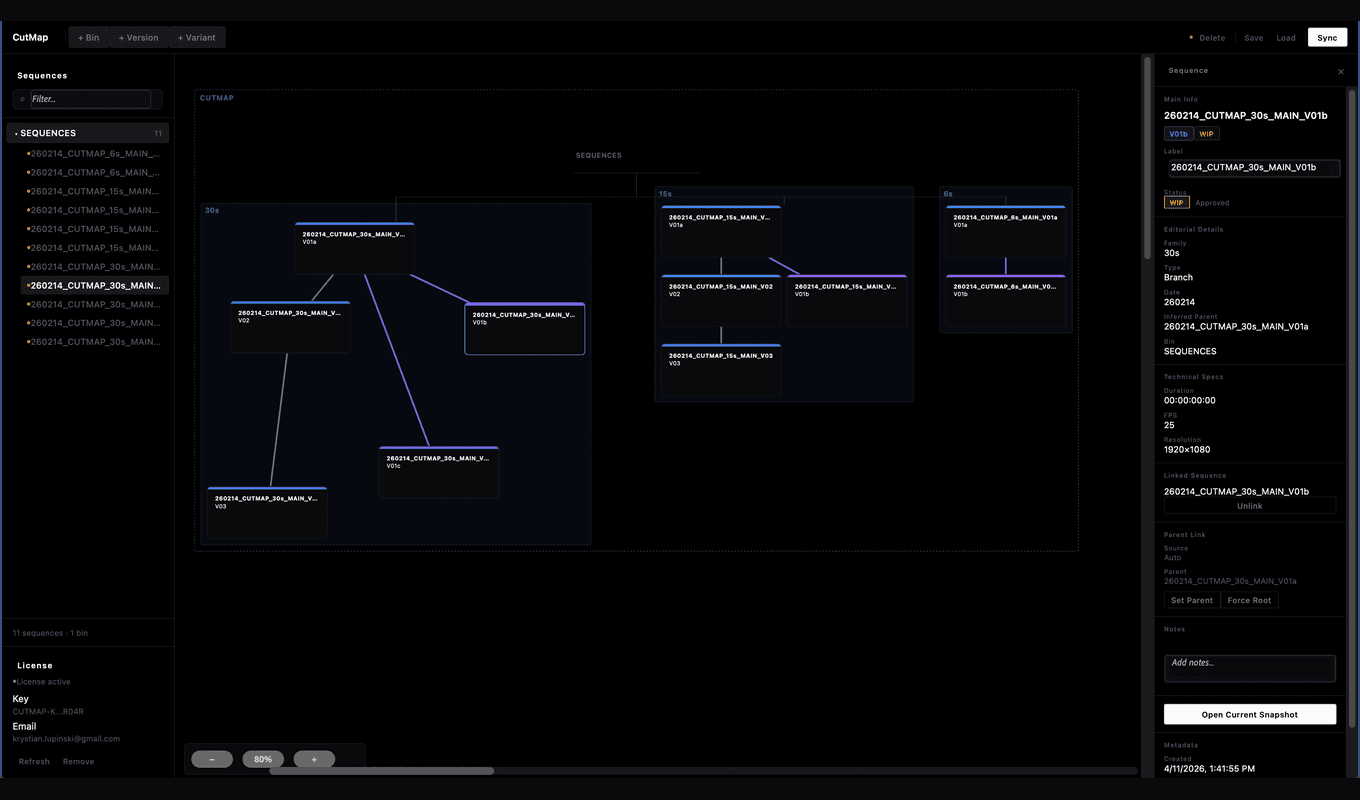
Built for editors, assistants and post teams working with fast-moving projects, alternate versions, and growing timeline complexity.

Built for editors, assistants and post teams working with fast-moving projects, alternate versions, and growing timeline complexity.

CutMap turns version chaos into something readable.

CutMap turns version chaos into something readable.

Editorial versioning—problem revealed.

Editorial versioning—problem revealed.

Editorial versioning becomes unreadable faster than most tools admit. Most workflows expect you to track version history mentally. That breaks as projects expand, leading to duplicate sequences, branching versions, and lost clarity.

Editorial versioning becomes unreadable faster than most tools admit. Most workflows expect you to track version history mentally. That breaks as projects expand, leading to duplicate sequences, branching versions, and lost clarity.

Why clarity matters.

Why clarity matters.

Because unclear version structure slows down real work—editors lose time, assistants trace confusion, and teams hesitate, all due to unreadable project history.
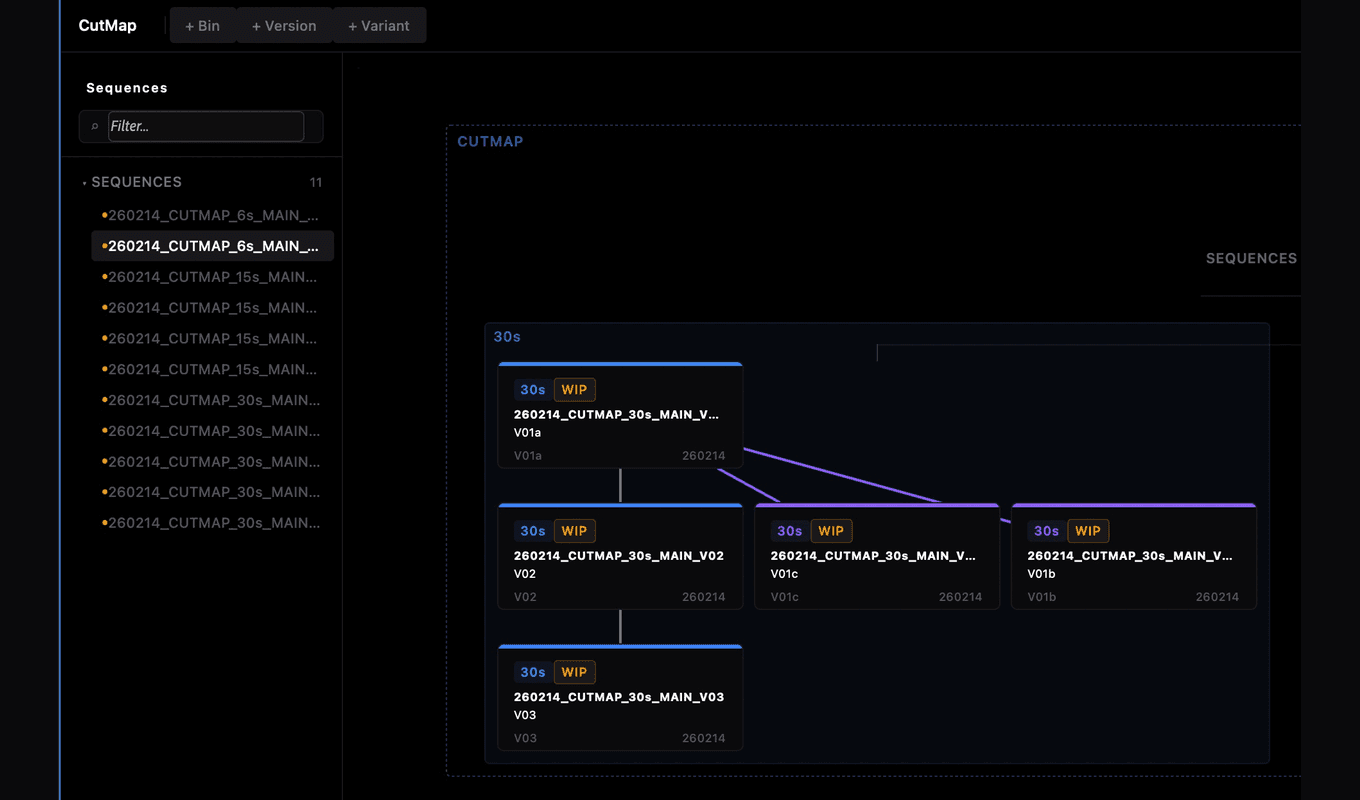
Built for real editorial workflows.

Built for real editorial workflows.

CutMap helps visualize sequence relationships, keep version history readable, reduce confusion, and support cleaner editorial decisions.

CutMap helps visualize sequence relationships, keep version history readable, reduce confusion, and support cleaner editorial decisions.

Structure becomes invisible fast.

Projects grow and editorial structure becomes hard to follow: versions branch, new options appear, variants pile up. Sequences get renamed, duplicated, and reshaped—before long it gets difficult to tell what came from where, what changed, and what is actually current.

CutMap brings version clarity

CutMap makes structure visible. See how sequences relate, how versions evolve, and how your project is organized beneath the surface. Visualize relationships across versions and branches so editorial teams can keep moving without confusion.

Simple pricing for individual editorial workflows

Simple pricing for individual editorial workflows

Built for how editors actually work.

Built for how editors actually work.

Free trial

7 days

No credit card required. Full access to all features.

Lifetime license

$19

one-time

  • Full plugin access
  • Two seats
  • All future updates

Make version history easier to read

Make version history easier to read

Bring clarity to every editorial project

Bring clarity to every editorial project

Get CutMap

Simple drag-and-drop

Simple drag-and-drop

Simple drag-and-drop

Arrange sequences and bins visually, just like moving sticky notes on a board.

Arrange sequences and bins visually, just like moving sticky notes on a board.

Live project sync

Live project sync

Live project sync

CutMap updates in real time—changes in Premiere appear immediately on your map.

CutMap updates in real time—changes in Premiere appear immediately on your map.

Version control

Version control

Version control

Track revisions and jump to previous versions without losing work or context.

Track revisions and jump to previous versions without losing work or context.

FAQ

What is CutMap?

+

Who is it for?

+

Does it work on Mac and Windows?

+

What happens after the 21-day trial?

+

How do I activate my license?

+

How many devices can I use it on?

+

Will I get future updates?

+

Stay updated

Stay updated

Get product news

Get product news

contact@cutmap.io
TermsPrivacyRefund Policy

© 2026 CutAtlas. All rights reserved.